icons/show
Klicken zum Vergrößern
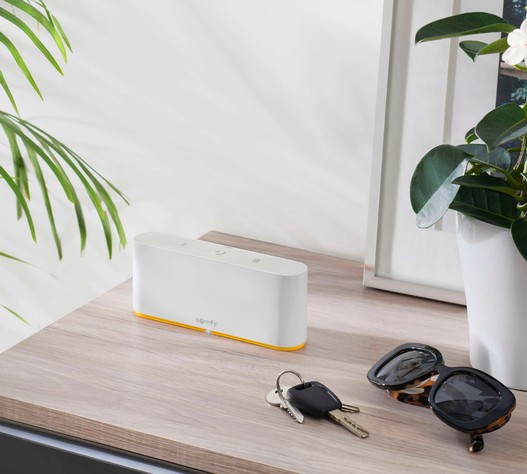
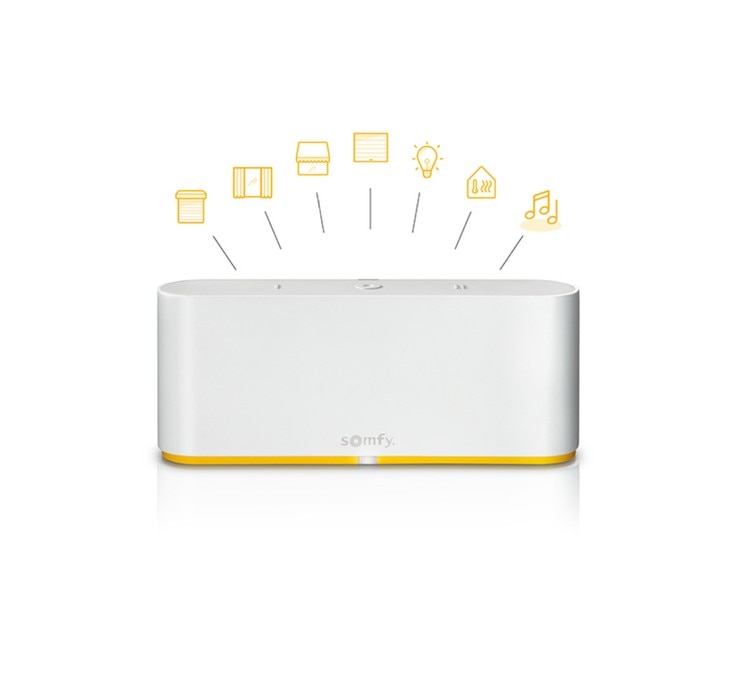
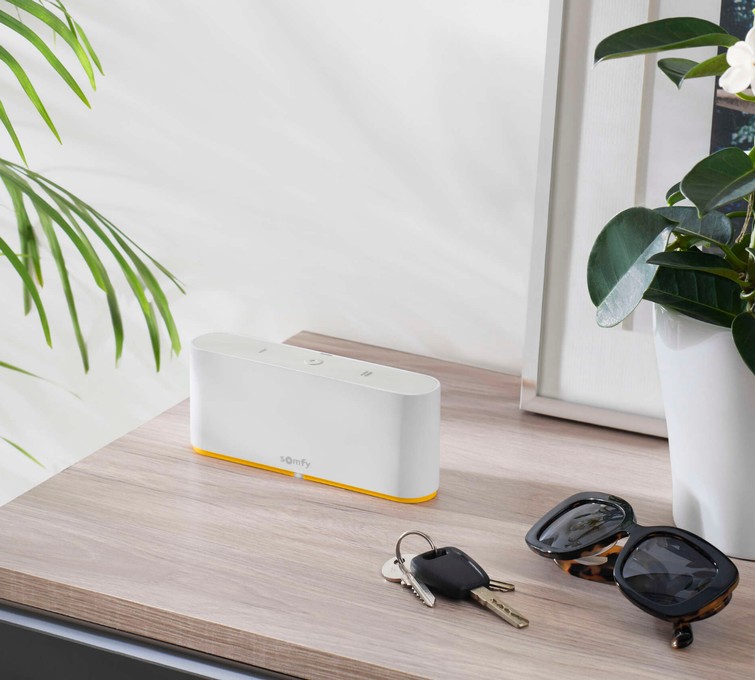
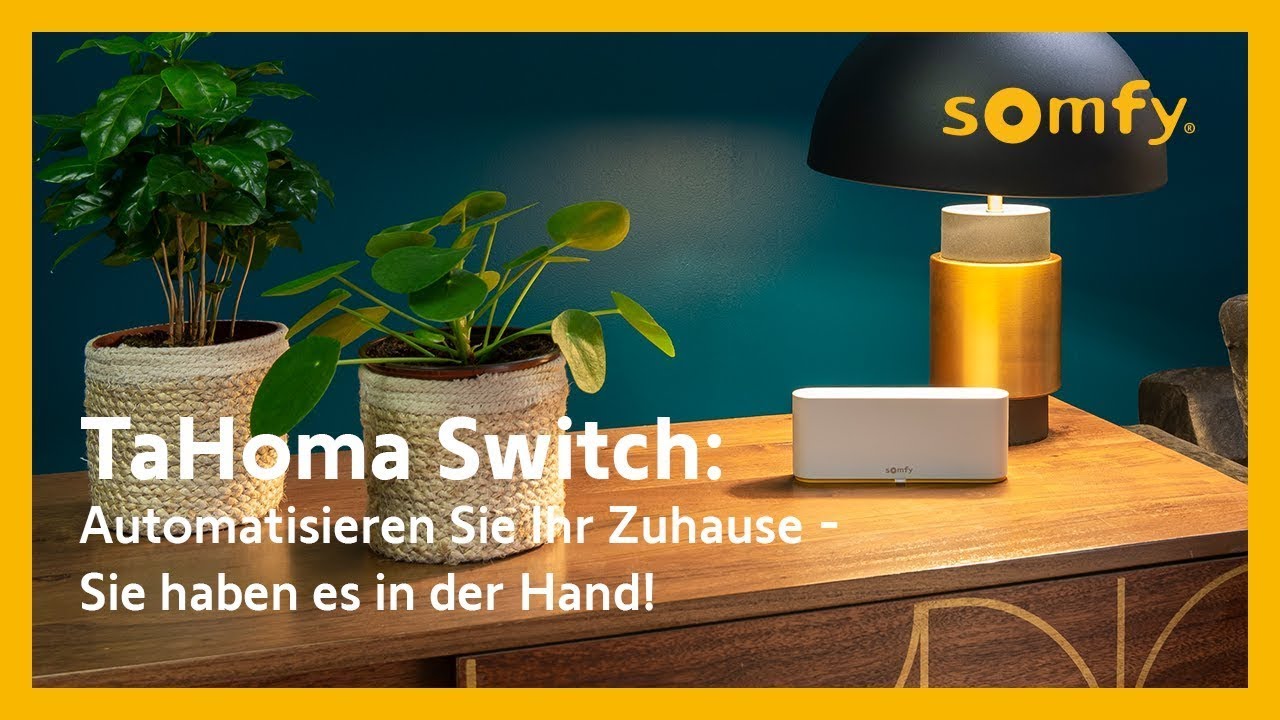
Somfy TaHoma Witch - Die smarte Zentrale, die Rollläden, Licht, Heizung und Sicherheit in einem System vereint
Lieferbar in 1-3 Werktagen
inkl. MwSt., zzgl. Versandkosten
Menge
1 2 3 4 5 6 7 8 9 10 11 12 13 14 15 16 17 18 19 20 21 22 23 24 25 26 27 28 29 30
inkl. MwSt., zzgl. Versandkosten
icon/cart
Zum Warenkorb hinzufügen
Highlights unserer Smart Home-Zentrale TaHoma:
✔ Ihr smartes Zuhause in einer Zentrale: steuert Rollläden , Licht , Heizung und Sicherheit , sowie Sensoren und weitere Geräte gebündelt und kann jederzeit und einfach erweitert werden
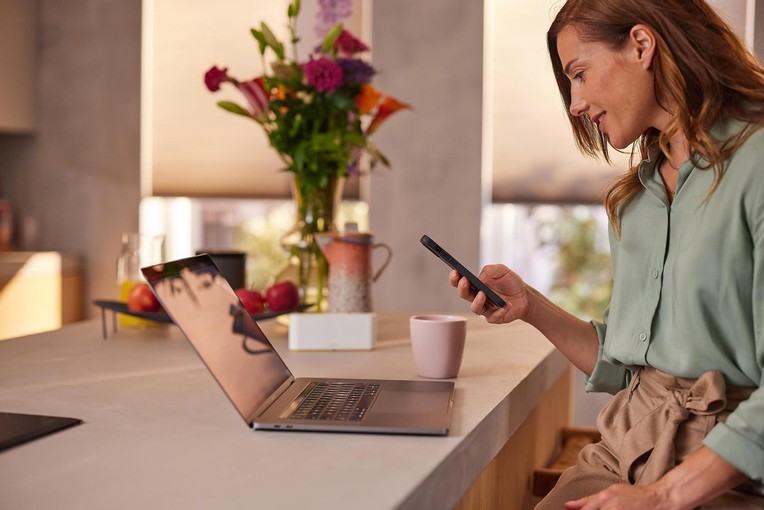
✔ Steuern Sie Ihr Zuhause automatisiert und smart per Smartphone & Tablet – und das von überall
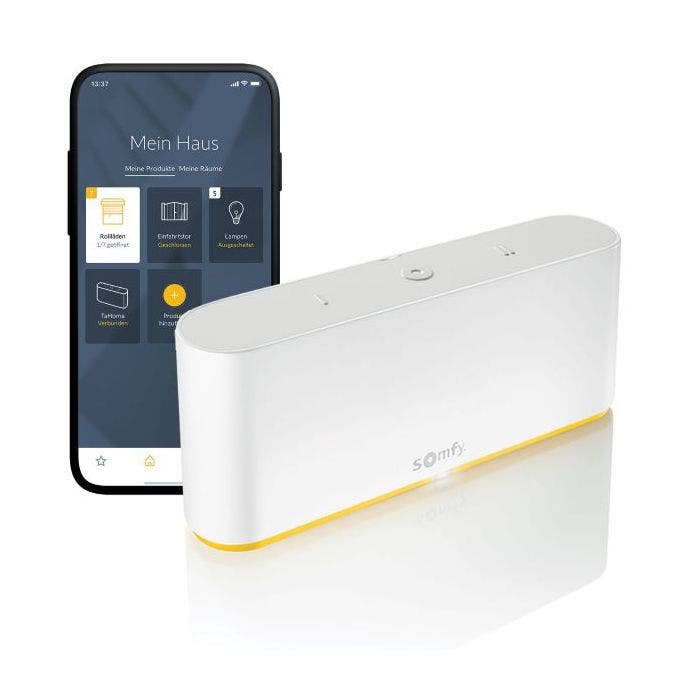
✔ Mit der Smart-Home-App können Sie von unterwegs Rollläden runterfahren, Licht & Heizung ausschalten, Alarm einschalten u.v.m.
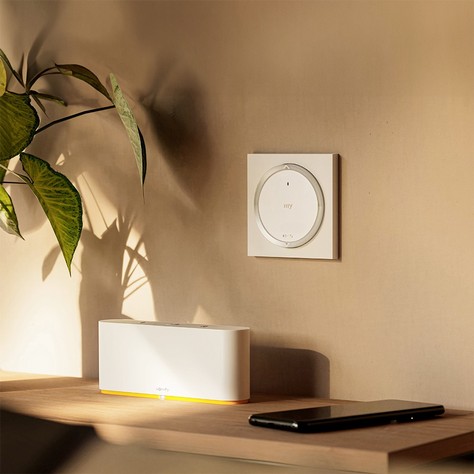
✔ Flexibel platzierbar: Verbindung per WLAN, kein fester Einbauort nötig.
✔ Individuelle Szenarien per Knopfdruck und automatisiert starten
✔ Bis zu 200 Produkte von Somfy und Partnern vernetzbar, jederzeit erweiterbar
✔ Auf Wunsch einrichten lassen : telefonische Inbetriebnahme durch einen Somfy Techniker, einzeln oder direkt als Bundle (TaHoma + telefonische Inbetriebnahme).
Kompatibel mit
Weitere Details
Versandkostenfreie Lieferung innerhalb Deutschland per DHL Einfache & sichere Zahlung mit allen gängigen Zahlungsarten
Toutes les commandes supérieures à 199 € sont livrées gratuitement.
100 % verschlüsselte und sichere Zahlung
icons/ic_livraison_offerte
Versandkostenfreie Lieferung in DE
icons/ic_retractation
14 Tage Rückgaberecht
icons/ic_assistance
Schneller und zuverlässiger Support
inkl. MwSt., zzgl. Versandkosten
icon/cart
Zum Warenkorb hinzufügen
inkl. MwSt., zzgl. Versandkosten
icon/cart
Zum Warenkorb hinzufügen
Beschreibung
Eine Welt voller Möglichkeiten
Ihr Alltagshelfer für mehr Komfort und Sicherheit Die Installation von motorisierten Rollläden, Außenjalousien, Markisen oder Toren ist der erste Schritt, um Ihr Zuhause komfortabler zu gestalten. Durch die Integration der TaHoma Switch können Sie wiederholende, alltägliche Aufgaben automatisieren oder diese bequem per Knopfdruck und Sprache steuern.
So steuern Sie Ihr Smart Home mit TaHoma:
Mit der Smart Home Zentrale
Starten Sie Ihren Alltag ganz einfach per Knopfdruck Die TaHoma Switch verfügt über zwei personalisierbare Tasten. Erstellen Sie Szenarien, die Ihren täglichen Routinen entsprechen.
„Haus verlassen": Sonnenschutz runter, Licht aus, Alarm aktiv.„Nach Hause kommen": Rollläden auf, Licht an, Sicherheitssystem deaktiviert.
Mit der TaHoma-App
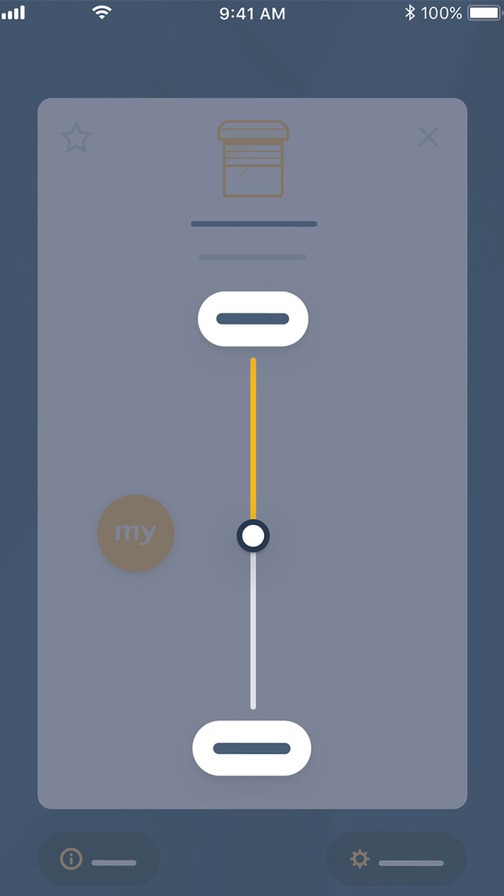
Ihr Zuhause immer im Blick per Smartphone oder Tablet Steuern Sie Ihre Smart-Home-Geräte über die TaHoma-App – egal ob zu Hause oder unterwegs. Status prüfen und Geräte direkt vom Smartphone schalten.
TaHoma-App entdecken
Automatisiert dank vernetzter Sensoren & Zeitabläufen
Komfort ohne Zutun: Ihr Rollladen handelt von selbst Rollläden, Jalousien und Markisen öffnen und schließen sich automatisch je nach Klima und Wetterlage.
Mehr zu Sensoren
Mit einem Sprachassistenten
Smart gesteuert, ganz einfach per Sprachbefehl Verbinden Sie Ihre TaHoma Switch mit Amazon Alexa oder Google Home und steuern Sie alles bequem per Sprachbefehl.
Sprachassistenten entdecken
Ihr individuelles Smart Home – perfekt auf Ihren Alltag abgestimmt
Bequemlichkeit
Intelligente Technik, spürbare Gemütlichkeit. Smarte Lösungen für mehr Komfort im Alltag
Die TaHoma Switch verwandelt Ihr Zuhause in einen Ort, der intelligent mitdenkt. Sie vereint Rollläden, smarte Lichtsteuerung, energiesparende Heizung und Sicherheit in einem System.
Mehr zum smarten Zuhause
Individuelle Szenarien
Perfekt abgestimmt auf Ihren Alltag. Individuelle Szenarien nehmen Ihnen lästige Aufgaben ab
Sobald die Dämmerung einsetzt, fahren Ihre Rollläden automatisch herunter und Ihre Stehlampe schaltet sich ein. In wenigen Schritten legen Sie Szenarien gemäß Ihren individuellen Bedürfnissen fest.
Energieeffizienz & Komfort
Hitzeschutz, der mitdenkt. Optimierte Szenarien reduzieren Ihren Energieverbrauch.
Sommer: Sonnensensor fährt Rollläden automatisch runter – kühle Räume.Winter: Sonnenschutz öffnet sich – Sonnenwärme nutzen und Heizkosten sparen.
Mehr zu Energieeffizienz
Sicherheit
Sicherheit durch Simulation. Abgestimmte Abläufe lassen Ihr Heim bewohnt erscheinen.
Überwachen Sie Ihr Zuhause aus der Ferne Rollläden und Beleuchtung simulieren Anwesenheit – mehr Einbruchsicherheit im Urlaub.
Sicherheit & Privatsphäre
TaHoma-App: Bedienen Sie Ihre vernetzten Geräte jederzeit und von überall
Bedienen Sie Ihre Geräte einzeln oder als Gruppe – von zuhause oder unterwegs – per App oder über Szenarien.
Echtzeit-Informationen über den Zustand aller Ihrer Geräte
Erstellen Sie personalisierte Szenarien im Handumdrehen
Programmieren Sie Szenarien nach Zeit und Sensorik
Profitieren Sie von voreingestellten Szenarien
Eines der vielseitigsten Smart-Home-Systeme auf dem Markt
Kompatibel mit bis zu 200 Produkten von Somfy
✓ Rollläden & Außensonnenschutz ✓ Jalousien & Vorhänge ✓ Pergolen & Markisen ✓ Garagentore & Türschlösser ✓ Beleuchtung & Zwischenstecker
✓ Kameras & Alarmanlagen ✓ Heizung & Thermostate ✓ Wetter- & Sicherheitssensoren ✓ Musikanlagen & Sprachassistenten ✓ und viele mehr …
Lernen Sie bis zu 200 Produkte in Ihre TaHoma Switch ein und vernetzen Sie alle smarten Geräte miteinander.
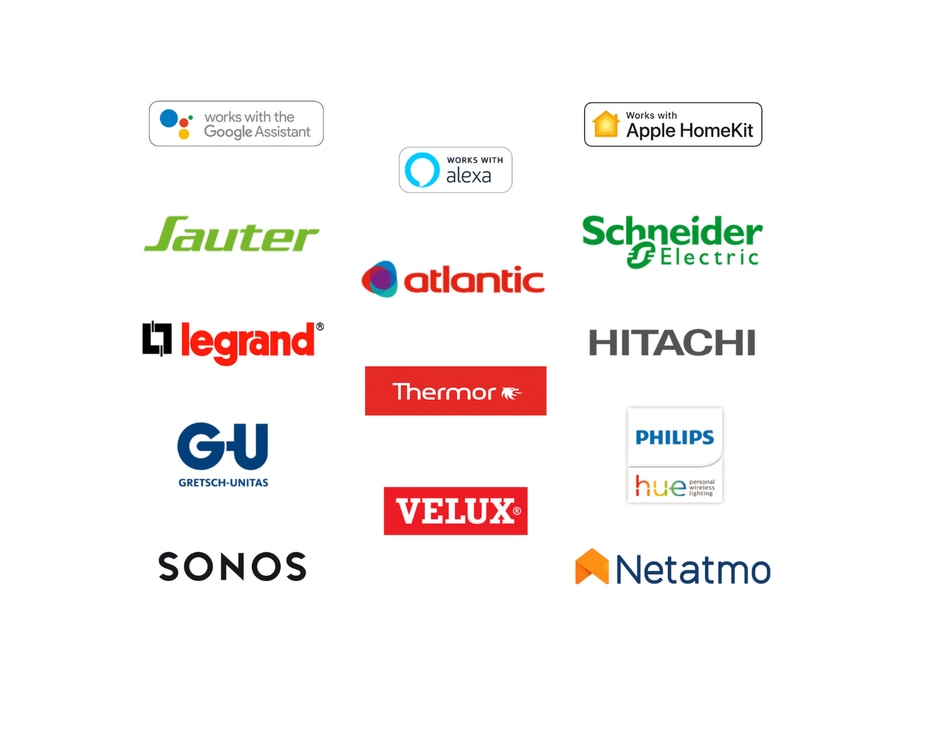
… und zahlreichen Produkten von renommierten Somfy-Partnern Erfahren Sie hier mehr über alle unsere Partner →
Immer auf dem neuesten Stand dank regelmäßiger Updates: neue Funktionen, erweiterte Kompatibilitäten und zusätzliche Smart-Home-Partner. Das User Interface wird stetig optimiert, um die Bedienung noch komfortabler zu gestalten.
Lieber einrichten lassen
Sie möchten Ihre TaHoma Switch nicht selbst einrichten? Das müssen Sie nicht. Bei der telefonischen Inbetriebnahme richtet ein Somfy Techniker Ihr Smart Home gemeinsam mit Ihnen ein, zum Wunschtermin und Schritt für Schritt per Telefon. Ohne Vorkenntnisse, am Ende läuft alles.
1. Termin wählen. Sie buchen die Inbetriebnahme und geben Ihren Wunschtermin an.
2. Gemeinsamer Anruf. Ein Somfy Techniker ruft Sie an und richtet Ihr System mit Ihnen ein.
3. Sofort loslegen. Ihre Szenarien stehen, Sie bedienen Ihr Zuhause direkt per App.
Highlights
Steuern Sie Ihr Zuhause automatisiert und smart per Smartphone & Tablet – von überall. Mit der TaHoma-App Rollläden steuern, Licht ausschalten, Heizung regeln und Alarm aktivieren – jederzeit.
Volle Flexibilität: Dank WLAN-Verbindung positionieren Sie die TaHoma Switch überall in Ihrem Haus.Individuelle Szenarien – automatisiert nach Uhrzeit und Sensorik oder per Knopfdruck starten.
Smarter Temperaturkomfort: Sonnenschutz und smarte Geräte vernetzen – Energiekosten sparen.Einfache Inbetriebnahme: Keine technischen Kenntnisse nötig – anstecken, einrichten, loslegen.
Sprachsteuerung: Kompatibel mit Amazon Alexa, Google Assistant und Apple HomeKit.Das Gehirn Ihres smarten Zuhauses : Vernetzt alle Geräte, Rollläden und Sensoren – jederzeit erweiterbar.
Technische Daten
Somfy Smart-Home-Zentrale TaHoma Switch
Funksteuerung
io-homecontrol®, RTS, Zigbee 3.0, EnOcean
Funkfrequenz io
868 - 870 MHz
Funkfrequenz RTS
433,42 MHz
Funkfrequenz Zigbee 3.0
2,4 GHz
Funkfrequenz WLAN
2,4 GHz
Betriebsspannung
5 V DC
Spannungsversorgung
110 / 230 V AC 50/60 Hz
Schutzart
IP 20
Betriebstemperatur
0 °C bis 40 °C
Abmessungen (B x H x T)
162 x 67 x 35 mm
Anschluss
1x Micro USB
Funkreichweite
io Produkte: ca. 20 m durch zwei Betonwände
Anzahl integrierbarer Produkte
200 Stück
Immer auf dem neuesten Stand dank regelmäßiger Updates
Freuen Sie sich auf neue Funktionen , erweiterte Kompatibilitäten und zusätzliche Smart-Home-Partner. Gleichzeitig wird das User Interface stetig optimiert, um die Bedienung Ihres Smart Homes noch komfortabler und intuitiver zu gestalten.
Mithilfe von regelmäßigen Sicherheitsupdates stellen wir zudem sicher, dass Ihre Smart-Home-Zentrale immer auf dem neuesten Stand bleibt und den jeweils aktuellen Sicherheitsanforderungen entspricht.
Fragen zur TaHoma Switch? Finden Sie hier Antworten auf die häufigsten Fragen: >> Zu den FAQs
Details & Spezifikationen
Lieferumfang
icons/arrow_accordion
Im Lieferumfang sind enthalten:
Installation
icons/arrow_accordion
https://shop.somfy.de/tahoma-switch.html?___store=DE_DE
2359
Somfy TaHoma Switch
https://shop.somfy.de/media/catalog/product/t/a/tahoma-switch-smartphone-app-de_600x600.jpg
149
149
EUR
OutOfStock
/Produits/Domotique TaHoma
/Produits/Domotique TaHoma/Accessoires domotiques
/Produits/Domotique TaHoma/Accessoires domotiques/Box domotique TaHoma
/Produkte/Top-Produkte
/Produkte/Smart Home
/Produkte/Smart Home/Einstieg in Smart Home
/Produkte/Smart Home/Smart Home-Steuerung TaHoma
/Produkte/Rolladen & Markise
/Produkte
/Produkte/Rolladen & Markise/Rolladenmotor/Smart Home
/Produkte/Rolladen & Markise/Sensoren/Smart Home Temperatursensor
/Products/Smart Home
/Products/Smart Home/Smart Home control
/Productos/Mando a Distancia
/Productos/Smart Home Tahoma
/Productos/Smart Home Tahoma/Tahoma
/Productos/Mando a Distancia/Mando para Persiana
/Productos/Mando a Distancia/Mando para Toldo
/Productos/Motor de Persiana/Mando para Persianas
/Productos/Mando a Distancia/Mando para Alarma
/Productos/Mando a Distancia/Mando IO Home Control
/Productos/Motor de Persiana/Mando para Persianas/Mandos RTS
/Productos/Motor de Persiana/Mando para Persianas/Mandos IO
/Productos
/Offerta-della-settimana
/I più cercati
/Prodotti/Smart Home/Box TaHoma per una Casa Connessa
/Prodotti/Smart Home
/Best Sellers Somfy
/Produkty
/Produkty/Smart Home
/Produkty/Smart Home/Centrale smart home
/Produkty/Wszystkie produkty
/Columbus
/Produkte/Rolladen & Markise/Wandschalter Funk/Rolladenschalter WLAN
/Mehr Zeit im smarten Zuhause
/Produkty/Promocje
10
143
347
601
604
659
625
606
556
673
671
688
698
752
749
781
792
791
786
755
763
802
803
734
835
837
890
852
836
933
952
976
955
935
580
554
957
1
2
419
10
143
548
556
604
606
664
656
674
675
688
730
734
749
752
745
786
831
839
852
928
933
952
667
<p><span style="color: rgb(37, 72, 90);"><strong>Highlights unserer Smart Home-Zentrale TaHoma:</strong></span></p>
<p><span style="color: rgb(37, 72, 90);">✔ <strong>Ihr smartes Zuhause in einer Zentrale:</strong> steuert</span> <span style="color: #fab800;"><a style="color: #fab800;" href="https://shop.somfy.de/somfy-renovierungskit-funk.html">Rollläden</a></span><span style="color: rgb(37, 72, 90);">,</span> <span style="color: #fab800;"><a style="color: #fab800;" href="https://shop.somfy.de/produkte/rund-um-tahoma/licht.html">Licht</a></span><span style="color: rgb(37, 72, 90);">,</span> <span style="color: #fab800;"><a style="color: #fab800;" href="https://shop.somfy.de/produkte/rund-um-tahoma/heizung.html">Heizung </a></span><span style="color: rgb(37, 72, 90);">und </span><span style="color: #fab800;"><a style="color: #fab800;" href="https://shop.somfy.de/produkte/rund-um-tahoma/sicherheit.html">Sicherheit</a><span style="color: rgb(37, 72, 90);">, sowie</span> <span style="color: #fab800;"><a style="color: #fab800;" title="Somfy Sensoren" href="https://shop.somfy.de/rund-um-tahoma/sensoren.html" target="_blank" rel="noopener">Sensoren</a></span> <span style="color: rgb(37, 72, 90);">und</span> <span style="color: #fab800;"><a style="color: #fab800;" title="Jetzt TaHoma Switch Zubehörprodukte entdecken" href="https://shop.somfy.de/rund-um-tahoma.html" target="_blank" rel="noopener">weitere Geräte</a></span>, </span><span style="color: rgb(37, 72, 90);">gebündelt und kann jederzeit und einfach <strong>erweitert</strong> werden</span></p>
<p><span style="color: rgb(37, 72, 90);">✔ Steuern Sie Ihr Zuhause <strong>automatisiert und smart per Smartphone & Tablet</strong> – und das von überall</span></p>
<p><span style="color: rgb(37, 72, 90);">✔ Mit der <strong>Smart-Home-App</strong> können Sie von unterwegs Rollläden runterfahren, Licht & Heizung ausschalten, Alarm einschalten u.v.m.</span></p>
<p><span style="color: rgb(37, 72, 90);">✔ <strong>Flexibel platzierbar:</strong> Verbindung per WLAN, kein fester Einbauort nötig.</span></p>
<p><span style="color: rgb(37, 72, 90);">✔ <strong>Individuelle Szenarien</strong> per Knopfdruck und automatisiert starten</span></p>
<p><span style="color: rgb(37, 72, 90);">✔ <strong>Bis zu 200 Produkte </strong>von Somfy und Partnern vernetzbar, jederzeit erweiterbar</span></p>
<p><span style="color: rgb(37, 72, 90);">✔ <strong>Auf Wunsch einrichten lassen</strong>:</span> <span style="color: #fab800;"><a style="color: #fab800;" href="https://shop.somfy.de/telefonische-inbetriebnahme-tahoma-switch.html"><strong>telefonische Inbetriebnahme</strong></a> </span><span style="color: rgb(37, 72, 90);">durch einen Somfy Techniker, einzeln oder direkt als</span> <span style="color: #fab800;"><a style="color: #fab800;" href="https://shop.somfy.de/tahoma-switch-telefonische-inbetriebnahme.html"><strong>Bundle</strong></a></span> <span style="color: rgb(37, 72, 90);">(TaHoma + telefonische Inbetriebnahme).</span></p>
<p> </p>
<p><span style="color: rgb(37, 72, 90);"><strong>Kompatibel mit</strong></span></p>
<p><a href="/kompatibilitaet" target="_blank" rel="noopener"><strong><img src="{{media url=".renditions/wysiwyg/Product-Pages/Kompatibilitt_io_2_.png"}}" alt="" width="240" height="59"></strong></a><br><a href="/kompatibilitaet" target="_blank" rel="noopener"><strong><img src="{{media url=".renditions/wysiwyg/Compatibility/Kompatibilitt_RTS.png"}}" alt="" width="240" height="59"></strong></a><br><a href="/kompatibilitaet" target="_blank" rel="noopener"><strong><img src="{{media url=".renditions/wysiwyg/Product-Pages/Kompatibilitt_Zigbee.png"}}" alt="" width="240" height="59"></strong></a></p>
<p> </p> <div style="width: 100%; padding: 0;"><!-- 1. Ihr Alltagshelfer -->
<div class="sh-section" style="padding: 40px 0; border-bottom: 1px solid #e8e8e8;">
<p style="margin: 0 0 8px; font-size: 12px; font-weight: bold; letter-spacing: 0.12em; text-transform: uppercase; color: #fab800;">Eine Welt voller Möglichkeiten</p>
<table class="sh-row" style="width: 100%; border-collapse: collapse; table-layout: fixed;">
<tbody>
<tr>
<td class="sh-col" style="width: 50%; vertical-align: middle; padding-right: 40px;">
<h2 class="sh-h2" style="margin: 0 0 16px; font-size: 24px; font-weight: bold; line-height: 1.25; color: #1a1a1a;"><span style="color: rgb(37, 72, 90);">Ihr Alltagshelfer für mehr Komfort und Sicherheit</span></h2>
<p style="margin: 0; font-size: 15px; color: #444; line-height: 1.7;"><span style="color: rgb(37, 72, 90);">Die Installation von motorisierten Rollläden, Außenjalousien, Markisen oder Toren ist der erste Schritt, um Ihr Zuhause komfortabler zu gestalten. Durch die Integration der TaHoma Switch können Sie wiederholende, alltägliche Aufgaben automatisieren oder diese bequem per Knopfdruck und Sprache steuern.</span></p>
</td>
<td class="sh-col-img" style="width: 50%; vertical-align: middle;"><img style="display: block; width: 100%; height: auto; max-height: 260px; object-fit: cover; border-radius: 3px;" src="https://www.somfy.de/common/img/library///755x510_cover/Smart_Home_Steuerung_TaHoma.jpg" alt="Smart Home Steuerung TaHoma" loading="lazy"></td>
</tr>
</tbody>
</table>
</div>
<!-- 2. Smart up your home – YouTube -->
<div class="sh-section" style="padding: 40px 0; border-bottom: 1px solid #e8e8e8;">
<h2 class="sh-h2" style="margin: 0 0 24px; font-size: 24px; font-weight: bold; color: #1a1a1a;"><span style="color: rgb(37, 72, 90);">Smart up your home</span></h2>
<div id="yt-facade" style="position: relative; width: 100%; max-width: 720px; padding-bottom: 405px; height: 0; overflow: hidden; border-radius: 3px; cursor: pointer; background: #000;"><img style="position: absolute; top: 0; left: 0; width: 100%; height: 100%; object-fit: cover; display: block;" src="https://img.youtube.com/vi/o_6dmCWDI1w/maxresdefault.jpg" alt="TaHoma Switch – Smart up your home">
<div style="position: absolute; top: 50%; left: 50%; transform: translate(-50%,-50%); width: 72px; height: 72px; background: rgba(255,255,255,0.92); border-radius: 50%; display: flex; align-items: center; justify-content: center; box-shadow: 0 4px 20px rgba(0,0,0,0.35); pointer-events: none;">
<div style="width: 0; height: 0; border-top: 14px solid transparent; border-bottom: 14px solid transparent; border-left: 24px solid #fab800; margin-left: 6px;"> </div>
</div>
</div>
</div>
</div>
<!-- 3. So steuern Sie Ihr Smart Home -->
<div class="sh-section" style="padding: 40px 0; border-bottom: 1px solid #e8e8e8;">
<h2 class="sh-h2" style="margin: 0 0 28px; font-size: 24px; font-weight: bold; color: #1a1a1a;"><span style="color: rgb(37, 72, 90);">So steuern Sie Ihr Smart Home mit TaHoma:</span></h2>
<table class="sh-card-row" style="width: 100%; border-collapse: separate; border-spacing: 16px 0; margin-bottom: 16px;">
<tbody>
<tr>
<td class="sh-card-cell" style="width: 50%; vertical-align: top; background: #ffffff; border: 1px solid #e8e8e8; border-radius: 3px; overflow: hidden; padding: 0;"><img style="display: block; width: 100%; height: 180px; object-fit: cover;" src="https://www.somfy.de/common/img/library///440x270_cover/TaHoma-switch-box-leaving-home2.jpg" alt="TaHoma Switch – Knopfdruck" loading="lazy">
<div style="padding: 20px;">
<p style="margin: 0 0 5px; font-size: 12px; font-weight: bold; letter-spacing: 0.12em; text-transform: uppercase; color: #fab800;">Mit der Smart Home Zentrale</p>
<h3 class="sh-h3" style="margin: 0 0 10px; font-size: 18px; font-weight: bold; color: #1a1a1a; line-height: 1.3;"><span style="color: rgb(37, 72, 90);">Starten Sie Ihren Alltag ganz einfach per Knopfdruck</span></h3>
<p style="margin: 0 0 10px; font-size: 14px; color: #444; line-height: 1.65;"><span style="color: rgb(37, 72, 90);">Die TaHoma Switch verfügt über zwei personalisierbare Tasten. Erstellen Sie Szenarien, die Ihren täglichen Routinen entsprechen.</span></p>
<ul style="margin: 0; padding: 0 0 0 16px; font-size: 14px; color: #444; line-height: 1.7;">
<li style="margin-bottom: 5px; color: rgb(37, 72, 90);"><span style="color: rgb(37, 72, 90);"><strong>„Haus verlassen":</strong> Sonnenschutz runter, Licht aus, Alarm aktiv.</span></li>
<li style="color: rgb(37, 72, 90);"><span style="color: rgb(37, 72, 90);"><strong>„Nach Hause kommen":</strong> Rollläden auf, Licht an, Sicherheitssystem deaktiviert.</span></li>
</ul>
</div>
</td>
<td class="sh-card-cell" style="width: 50%; vertical-align: top; background: #ffffff; border: 1px solid #e8e8e8; border-radius: 3px; overflow: hidden; padding: 0;"><img style="display: block; width: 100%; height: 180px; object-fit: cover;" src="https://www.somfy.de/common/img/library///440x270_cover/AdobeStock_547492492.jpg" alt="TaHoma App – Smartphone" loading="lazy">
<div style="padding: 20px;">
<p style="margin: 0 0 5px; font-size: 12px; font-weight: bold; letter-spacing: 0.12em; text-transform: uppercase; color: #fab800;">Mit der TaHoma-App</p>
<h3 class="sh-h3" style="margin: 0 0 10px; font-size: 18px; font-weight: bold; color: #1a1a1a; line-height: 1.3;"><span style="color: rgb(37, 72, 90);">Ihr Zuhause immer im Blick per Smartphone oder Tablet</span></h3>
<p style="margin: 0 0 14px; font-size: 14px; color: #444; line-height: 1.65;"><span style="color: rgb(37, 72, 90);">Steuern Sie Ihre Smart-Home-Geräte über die TaHoma-App – egal ob zu Hause oder unterwegs. Status prüfen und Geräte direkt vom Smartphone schalten.</span></p>
<a style="display: inline-block; padding: 9px 18px; background: #fab800; color: #fff; font-size: 12px; font-weight: bold; letter-spacing: 0.06em; text-transform: uppercase; text-decoration: none; border-radius: 2px;" href="https://www.somfy.de/produktwelt/smart-home/tahoma-app" target="_blank" rel="noopener">TaHoma-App entdecken</a></div>
</td>
</tr>
</tbody>
</table>
<table class="sh-card-row" style="width: 100%; border-collapse: separate; border-spacing: 16px 0;">
<tbody>
<tr>
<td class="sh-card-cell" style="width: 50%; vertical-align: top; background: #ffffff; border: 1px solid #e8e8e8; border-radius: 3px; overflow: hidden; padding: 0;"><img style="display: block; width: 100%; height: 180px; object-fit: cover;" src="https://www.somfy.de/common/img/library///440x270_cover/Automatisierte_Steuerung_mit_Sensorik_(1).png" alt="Automatisierte Steuerung" loading="lazy">
<div style="padding: 20px;">
<p style="margin: 0 0 5px; font-size: 12px; font-weight: bold; letter-spacing: 0.12em; text-transform: uppercase; color: #fab800;">Automatisiert dank vernetzter Sensoren & Zeitabläufen</p>
<h3 class="sh-h3" style="margin: 0 0 10px; font-size: 18px; font-weight: bold; color: #1a1a1a; line-height: 1.3;"><span style="color: rgb(37, 72, 90);">Komfort ohne Zutun: Ihr Rollladen handelt von selbst</span></h3>
<p style="margin: 0 0 14px; font-size: 14px; color: #444; line-height: 1.65;"><span style="color: rgb(37, 72, 90);">Rollläden, Jalousien und Markisen öffnen und schließen sich automatisch je nach Klima und Wetterlage.</span></p>
<a style="display: inline-block; padding: 9px 18px; background: #fab800; color: #fff; font-size: 12px; font-weight: bold; letter-spacing: 0.06em; text-transform: uppercase; text-decoration: none; border-radius: 2px;" href="https://www.somfy.de/produktwelt/sensoren" target="_blank" rel="noopener">Mehr zu Sensoren</a></div>
</td>
<td class="sh-card-cell" style="width: 50%; vertical-align: top; background: #ffffff; border: 1px solid #e8e8e8; border-radius: 3px; overflow: hidden; padding: 0;"><img style="display: block; width: 100%; height: 180px; object-fit: cover;" src="https://www.somfy.de/common/img/library///440x270_cover/Abendszenario-DE.png" alt="Steuerung per Sprachassistent" loading="lazy">
<div style="padding: 20px;">
<p style="margin: 0 0 5px; font-size: 12px; font-weight: bold; letter-spacing: 0.12em; text-transform: uppercase; color: #fab800;">Mit einem Sprachassistenten</p>
<h3 class="sh-h3" style="margin: 0 0 10px; font-size: 18px; font-weight: bold; color: #1a1a1a; line-height: 1.3;"><span style="color: rgb(37, 72, 90);">Smart gesteuert, ganz einfach per Sprachbefehl</span></h3>
<p style="margin: 0 0 14px; font-size: 14px; color: #444; line-height: 1.65;"><span style="color: rgb(37, 72, 90);">Verbinden Sie Ihre TaHoma Switch mit Amazon Alexa oder Google Home und steuern Sie alles bequem per Sprachbefehl.</span></p>
<a style="display: inline-block; padding: 9px 18px; background: #fab800; color: #fff; font-size: 12px; font-weight: bold; letter-spacing: 0.06em; text-transform: uppercase; text-decoration: none; border-radius: 2px;" href="https://www.somfy.de/smarter-wohnen/sprachsteuerung" target="_blank" rel="noopener">Sprachassistenten entdecken</a></div>
</td>
</tr>
</tbody>
</table>
</div>
<!-- 4. Ihr individuelles Smart Home -->
<div class="sh-section" style="padding: 40px 0; border-bottom: 1px solid #e8e8e8;">
<h2 class="sh-h2" style="margin: 0 0 32px; font-size: 24px; font-weight: bold; color: #1a1a1a;"><span style="color: rgb(37, 72, 90);">Ihr individuelles Smart Home – perfekt auf Ihren Alltag abgestimmt</span></h2>
<table class="sh-row" style="width: 100%; border-collapse: collapse;">
<tbody>
<tr>
<td class="sh-col" style="width: 50%; vertical-align: middle; padding-right: 40px;">
<p style="margin: 0 0 5px; font-size: 12px; font-weight: bold; letter-spacing: 0.12em; text-transform: uppercase; color: #fab800;">Bequemlichkeit</p>
<h3 class="sh-h3" style="margin: 0 0 10px; font-size: 18px; font-weight: bold; color: #1a1a1a; line-height: 1.3;"><span style="color: rgb(37, 72, 90);">Intelligente Technik, spürbare Gemütlichkeit.</span></h3>
<p style="margin: 0 0 6px; font-size: 14px; color: #444;"><span style="color: rgb(37, 72, 90);">Smarte Lösungen für mehr Komfort im Alltag</span></p>
<p style="margin: 0 0 14px; font-size: 14px; color: #444; line-height: 1.7;"><span style="color: rgb(37, 72, 90);">Die TaHoma Switch verwandelt Ihr Zuhause in einen Ort, der intelligent mitdenkt. Sie vereint Rollläden, smarte Lichtsteuerung, energiesparende Heizung und Sicherheit in einem System.</span></p>
<a style="display: inline-block; padding: 9px 18px; background: #fab800; color: #fff; font-size: 12px; font-weight: bold; letter-spacing: 0.06em; text-transform: uppercase; text-decoration: none; border-radius: 2px;" href="https://www.somfy.de/smarter-wohnen/home-automation" target="_blank" rel="noopener">Mehr zum smarten Zuhause</a></td>
<td class="sh-col-img" style="width: 50%; vertical-align: middle;"><img style="display: block; width: 100%; max-height: 280px; object-fit: cover; border-radius: 3px;" src="https://www.somfy.de/common/img/library///395x474_cover/Smart_Home_Steuerung_TaHoma.jpg" alt="TaHoma Switch – Komfort" loading="lazy"></td>
</tr>
</tbody>
</table>
<div style="border-top: 1px solid #e8e8e8; margin: 28px 0;"> </div>
<table class="sh-row" style="width: 100%; border-collapse: collapse;">
<tbody>
<tr>
<td class="sh-col-img" style="width: 50%; vertical-align: middle; padding-right: 40px;"><img style="display: block; width: 100%; max-height: 280px; object-fit: cover; border-radius: 3px;" src="https://www.somfy.de/common/img/library///395x474_cover/Shoot_Savigny_2022_Vanessa_Andrieux_HD_368.jpg" alt="TaHoma – Individuelle Szenarien" loading="lazy"></td>
<td class="sh-col" style="width: 50%; vertical-align: middle;">
<p style="margin: 0 0 5px; font-size: 12px; font-weight: bold; letter-spacing: 0.12em; text-transform: uppercase; color: #fab800;">Individuelle Szenarien</p>
<h3 class="sh-h3" style="margin: 0 0 10px; font-size: 18px; font-weight: bold; color: #1a1a1a; line-height: 1.3;"><span style="color: rgb(37, 72, 90);">Perfekt abgestimmt auf Ihren Alltag.</span></h3>
<p style="margin: 0 0 6px; font-size: 14px; color: #444;"><span style="color: rgb(37, 72, 90);">Individuelle Szenarien nehmen Ihnen lästige Aufgaben ab</span></p>
<p style="margin: 0; font-size: 14px; color: #444; line-height: 1.7;"><span style="color: rgb(37, 72, 90);">Sobald die Dämmerung einsetzt, fahren Ihre Rollläden automatisch herunter und Ihre Stehlampe schaltet sich ein. In wenigen Schritten legen Sie Szenarien gemäß Ihren individuellen Bedürfnissen fest.</span></p>
</td>
</tr>
</tbody>
</table>
<div style="border-top: 1px solid #e8e8e8; margin: 28px 0;"> </div>
<table class="sh-row" style="width: 100%; border-collapse: collapse;">
<tbody>
<tr>
<td class="sh-col" style="width: 50%; vertical-align: middle; padding-right: 40px;">
<p style="margin: 0 0 5px; font-size: 12px; font-weight: bold; letter-spacing: 0.12em; text-transform: uppercase; color: #fab800;">Energieeffizienz & Komfort</p>
<h3 class="sh-h3" style="margin: 0 0 10px; font-size: 18px; font-weight: bold; color: #1a1a1a; line-height: 1.3;"><span style="color: rgb(37, 72, 90);">Hitzeschutz, der mitdenkt.</span></h3>
<p style="margin: 0 0 6px; font-size: 14px; color: #444;"><span style="color: rgb(37, 72, 90);">Optimierte Szenarien reduzieren Ihren Energieverbrauch.</span></p>
<ul style="margin: 0 0 14px; padding: 0 0 0 16px; font-size: 14px; color: #444; line-height: 1.75;">
<li style="margin-bottom: 6px; color: rgb(37, 72, 90);"><span style="color: rgb(37, 72, 90);"><strong>Sommer:</strong> Sonnensensor fährt Rollläden automatisch runter – kühle Räume.</span></li>
<li style="color: rgb(37, 72, 90);"><span style="color: rgb(37, 72, 90);"><strong>Winter:</strong> Sonnenschutz öffnet sich – Sonnenwärme nutzen und Heizkosten sparen.</span></li>
</ul>
<a style="display: inline-block; padding: 9px 18px; background: #fab800; color: #fff; font-size: 12px; font-weight: bold; letter-spacing: 0.06em; text-transform: uppercase; text-decoration: none; border-radius: 2px;" href="https://www.somfy.de/smarter-wohnen/heizkosten-sparen" target="_blank" rel="noopener">Mehr zu Energieeffizienz</a></td>
<td class="sh-col-img" style="width: 50%; vertical-align: middle;"><img style="display: block; width: 100%; max-height: 280px; object-fit: cover; border-radius: 3px;" src="https://www.somfy.de/common/img/library///395x474_cover/Amy_io_TaHoma_switch_900x9001.jpg" alt="TaHoma – Energie sparen" loading="lazy"></td>
</tr>
</tbody>
</table>
<div style="border-top: 1px solid #e8e8e8; margin: 28px 0;"> </div>
<table class="sh-row" style="width: 100%; border-collapse: collapse;">
<tbody>
<tr>
<td class="sh-col-img" style="width: 50%; vertical-align: middle; padding-right: 40px;"><img style="display: block; width: 100%; max-height: 280px; object-fit: cover; border-radius: 3px;" src="https://www.somfy.de/common/img/library///395x474_cover/Shoot_External_screen_Leman_Emmanuelle_Firman_2024_HD_036.jpg" alt="Somfy – Anwesenheitssimulation" loading="lazy"></td>
<td class="sh-col" style="width: 50%; vertical-align: middle;">
<p style="margin: 0 0 5px; font-size: 12px; font-weight: bold; letter-spacing: 0.12em; text-transform: uppercase; color: #fab800;">Sicherheit</p>
<h3 class="sh-h3" style="margin: 0 0 10px; font-size: 18px; font-weight: bold; color: #1a1a1a; line-height: 1.3;"><span style="color: rgb(37, 72, 90);">Sicherheit durch Simulation.</span></h3>
<p style="margin: 0 0 6px; font-size: 14px; color: #444;"><span style="color: rgb(37, 72, 90);">Abgestimmte Abläufe lassen Ihr Heim bewohnt erscheinen.</span></p>
<ul style="margin: 0 0 14px; padding: 0 0 0 16px; font-size: 14px; color: #444; line-height: 1.75;">
<li style="margin-bottom: 6px; color: rgb(37, 72, 90);"><span style="color: rgb(37, 72, 90);">Überwachen Sie Ihr Zuhause aus der Ferne</span></li>
<li style="color: rgb(37, 72, 90);"><span style="color: rgb(37, 72, 90);">Rollläden und Beleuchtung simulieren Anwesenheit – mehr Einbruchsicherheit im Urlaub.</span></li>
</ul>
<a style="display: inline-block; padding: 9px 18px; background: #fab800; color: #fff; font-size: 12px; font-weight: bold; letter-spacing: 0.06em; text-transform: uppercase; text-decoration: none; border-radius: 2px;" href="https://www.somfy.de/smarter-wohnen/sicherheit-privatsphaere" target="_blank" rel="noopener">Sicherheit & Privatsphäre</a></td>
</tr>
</tbody>
</table>
</div>
<!-- 5. TaHoma-App -->
<div class="sh-section" style="padding: 40px 0; border-bottom: 1px solid #e8e8e8;">
<table class="sh-row" style="width: 100%; border-collapse: collapse;">
<tbody>
<tr>
<td class="sh-col" style="width: 58%; vertical-align: middle; padding-right: 40px;">
<h2 class="sh-h2" style="margin: 0 0 20px; font-size: 24px; font-weight: bold; color: #1a1a1a; line-height: 1.3;"><span style="color: rgb(37, 72, 90);">TaHoma-App: Bedienen Sie Ihre vernetzten Geräte jederzeit und von überall</span></h2>
<div style="border-top: 1px solid #d0d0d0;">
<div style="padding: 12px 0 12px 24px; border-bottom: 1px solid #d0d0d0; position: relative; font-size: 14px; color: #333;"><span style="color: rgb(37, 72, 90);">Bedienen Sie Ihre Geräte <strong>einzeln oder als Gruppe</strong> – von zuhause oder unterwegs – per App oder über Szenarien.</span></div>
<div style="padding: 12px 0 12px 24px; border-bottom: 1px solid #d0d0d0; position: relative; font-size: 14px; color: #333;"><span style="color: rgb(37, 72, 90);"><strong>Echtzeit-Informationen</strong> über den Zustand aller Ihrer Geräte</span></div>
<div style="padding: 12px 0 12px 24px; border-bottom: 1px solid #d0d0d0; position: relative; font-size: 14px; color: #333;"><span style="color: rgb(37, 72, 90);">Erstellen Sie <strong>personalisierte Szenarien</strong> im Handumdrehen</span></div>
<div style="padding: 12px 0 12px 24px; border-bottom: 1px solid #d0d0d0; position: relative; font-size: 14px; color: #333;"><span style="color: rgb(37, 72, 90);"><strong>Programmieren</strong> Sie Szenarien nach Zeit und Sensorik</span></div>
<div style="padding: 12px 0 12px 24px; position: relative; font-size: 14px; color: #333;"><span style="color: rgb(37, 72, 90);">Profitieren Sie von <strong>voreingestellten Szenarien</strong></span></div>
</div>
<div style="display: flex; gap: 10px; margin-top: 20px; flex-wrap: wrap; align-items: center;"><a href="https://apps.apple.com/de/app/tahoma/id1463391677" target="_blank" rel="noopener"><img style="height: 36px; width: auto; display: block;" src="https://www.somfy.de/common/img/stores/appstore/DE.svg" alt="Im App Store laden"></a> <a href="https://play.google.com/store/apps/details?id=com.somfy.homeapp" target="_blank" rel="noopener"><img style="height: 36px; width: auto; display: block;" src="https://www.somfy.de/common/img/stores/googleplay/DE.png" alt="Jetzt bei Google Play"></a></div>
</td>
<td class="sh-col-img" style="width: 42%; vertical-align: middle;"><img style="display: block; max-width: 220px; width: 100%; height: auto; border-radius: 3px;" src="https://www.somfy.de/common/img/library//414x896_cover/Somfy-tahoma-app-control-equipment21.jpg" alt="TaHoma App Screenshot" loading="lazy"></td>
</tr>
</tbody>
</table>
</div>
<!-- 6. Kompatibilität -->
<div class="sh-section" style="padding: 40px 0; border-bottom: 1px solid #e8e8e8;">
<p style="margin: 0 0 6px; font-size: 12px; font-weight: bold; letter-spacing: 0.12em; text-transform: uppercase; color: #fab800;">Eines der vielseitigsten Smart-Home-Systeme auf dem Markt</p>
<table class="sh-row" style="width: 100%; border-collapse: collapse;">
<tbody>
<tr>
<td class="sh-col" style="width: 50%; vertical-align: top; padding-right: 40px;">
<h2 class="sh-h2" style="margin: 0px 0px 20px; font-size: 24px; font-weight: bold; color: rgb(26, 26, 26); line-height: 2;"> </h2>
<h2 class="sh-h2" style="margin: 0 0 20px; font-size: 24px; font-weight: bold; color: #1a1a1a; line-height: 1.3;"><span style="color: rgb(37, 72, 90);">Kompatibel mit bis zu 200 Produkten von Somfy</span> </h2>
<table style="width: 100%; border-collapse: collapse; margin-bottom: 16px; height: 116.094px;">
<tbody>
<tr style="height: 116.094px;">
<td style="width: 50%; vertical-align: top; padding: 0;">
<ul style="margin: 0; padding: 0; list-style: none;">
<li style="padding: 4px 0 4px 18px; position: relative; font-size: 14px; color: #333;"><span style="position: absolute; left: 0; color: #fab800; font-weight: bold;">✓</span><span style="color: rgb(37, 72, 90);">Rollläden & Außensonnenschutz</span></li>
<li style="padding: 4px 0 4px 18px; position: relative; font-size: 14px; color: #333;"><span style="position: absolute; left: 0; color: #fab800; font-weight: bold;">✓</span><span style="color: rgb(37, 72, 90);">Jalousien & Vorhänge</span></li>
<li style="padding: 4px 0 4px 18px; position: relative; font-size: 14px; color: #333;"><span style="position: absolute; left: 0; color: #fab800; font-weight: bold;">✓</span><span style="color: rgb(37, 72, 90);">Pergolen & Markisen</span></li>
<li style="padding: 4px 0 4px 18px; position: relative; font-size: 14px; color: #333;"><span style="position: absolute; left: 0; color: #fab800; font-weight: bold;">✓</span><span style="color: rgb(37, 72, 90);">Garagentore & Türschlösser</span></li>
<li style="padding: 4px 0 4px 18px; position: relative; font-size: 14px; color: #333;"><span style="position: absolute; left: 0; color: #fab800; font-weight: bold;">✓</span><span style="color: rgb(37, 72, 90);">Beleuchtung & Zwischenstecker</span></li>
</ul>
</td>
<td style="width: 50%; vertical-align: top; padding: 0;">
<ul style="margin: 0; padding: 0; list-style: none;">
<li style="padding: 4px 0 4px 18px; position: relative; font-size: 14px; color: #333;"><span style="position: absolute; left: 0; color: #fab800; font-weight: bold;">✓</span><span style="color: rgb(37, 72, 90);">Kameras & Alarmanlagen</span></li>
<li style="padding: 4px 0 4px 18px; position: relative; font-size: 14px; color: #333;"><span style="position: absolute; left: 0; color: #fab800; font-weight: bold;">✓</span><span style="color: rgb(37, 72, 90);">Heizung & Thermostate</span></li>
<li style="padding: 4px 0 4px 18px; position: relative; font-size: 14px; color: #333;"><span style="position: absolute; left: 0; color: #fab800; font-weight: bold;">✓</span><span style="color: rgb(37, 72, 90);">Wetter- & Sicherheitssensoren</span></li>
<li style="padding: 4px 0 4px 18px; position: relative; font-size: 14px; color: #333;"><span style="position: absolute; left: 0; color: #fab800; font-weight: bold;">✓</span><span style="color: rgb(37, 72, 90);">Musikanlagen & Sprachassistenten</span></li>
<li style="padding: 4px 0 4px 18px; position: relative; font-size: 14px; color: #333;"><span style="position: absolute; left: 0; color: #fab800; font-weight: bold;">✓</span><span style="color: rgb(37, 72, 90);">und viele mehr …</span></li>
</ul>
</td>
</tr>
</tbody>
</table>
<p style="margin: 0; font-size: 14px; color: #444; line-height: 1.7;"><span style="color: rgb(37, 72, 90);">Lernen Sie bis zu <strong>200 Produkte</strong> in Ihre TaHoma Switch ein und vernetzen Sie alle smarten Geräte miteinander.</span></p>
</td>
<td class="sh-col-img" style="width: 50%; vertical-align: middle;"><img style="display: block; width: 100%; max-height: 420px; object-fit: cover; border-radius: 3px;" src="https://www.somfy.de/common/img/library///755x510_cover/TaHoma_Kompatibilitaet.jpg" alt="TaHoma Switch – Kompatibilität" loading="lazy"></td>
</tr>
</tbody>
</table>
</div>
<!-- 7. Partner -->
<div class="sh-section" style="padding: 40px 0; border-bottom: 1px solid #e8e8e8;">
<table class="sh-row" style="width: 100%; border-collapse: collapse;">
<tbody>
<tr>
<td class="sh-col-img" style="width: 50.0107%; vertical-align: middle; padding-right: 40px;"><img style="display: block; width: 100%; max-width: 480px; height: auto; border-radius: 3px;" src="https://www.somfy.de/common/img/library///755x755_cover/Smart-Home-Partner_Logos_2024.png" alt="Somfy Smart Home Partner Logos 2024" loading="lazy"></td>
<td class="sh-col" style="width: 50.0107%; vertical-align: middle;">
<h2 class="sh-h2" style="margin: 0 0 12px; font-size: 24px; font-weight: bold; color: #1a1a1a;"><span style="color: rgb(37, 72, 90);">… und zahlreichen Produkten von renommierten Somfy-Partnern</span></h2>
<p style="margin: 0 0 8px;"><a style="color: #fab800; font-weight: bold; text-decoration: none; font-size: 15px;" href="https://www.somfy.de/ueber-somfy/so-open-technologien/tahoma-partner" target="_blank" rel="noopener">Erfahren Sie hier mehr über alle unsere Partner →</a></p>
<p style="margin: 0; font-size: 14px; color: #555; line-height: 1.7;">I<span style="color: rgb(37, 72, 90);">mmer auf dem neuesten Stand dank regelmäßiger Updates: neue Funktionen, erweiterte Kompatibilitäten und zusätzliche Smart-Home-Partner. Das User Interface wird stetig optimiert, um die Bedienung noch komfortabler zu gestalten.</span></p>
</td>
</tr>
</tbody>
</table>
</div>
<!-- 3b. Einrichtung / telefonische Inbetriebnahme -->
<div class="sh-section" style="padding: 40px 0; border-bottom: 1px solid #e8e8e8;">
<table class="sh-row" style="width: 100%; border-collapse: collapse; border: 1px solid #e8e8e8; border-left: 4px solid #fab800; border-radius: 3px;">
<tbody>
<tr>
<td class="sh-col" style="width: 50%; vertical-align: middle; padding: 32px 40px;">
<p style="margin: 0 0 5px; font-size: 12px; font-weight: bold; letter-spacing: 0.12em; text-transform: uppercase; color: #fab800;">Lieber einrichten lassen</p>
<h2 class="sh-h2" style="margin: 0 0 12px; font-size: 24px; font-weight: bold; line-height: 1.25; color: #1a1a1a;"><span style="color: rgb(37, 72, 90);">Sie möchten Ihre TaHoma Switch nicht selbst einrichten?</span></h2>
<p style="margin: 0 0 20px; font-size: 15px; color: #444; line-height: 1.7;"><span style="color: rgb(37, 72, 90);">Das müssen Sie nicht. Bei der telefonischen Inbetriebnahme richtet ein Somfy Techniker Ihr Smart Home gemeinsam mit Ihnen ein, zum Wunschtermin und Schritt für Schritt per Telefon. Ohne Vorkenntnisse, am Ende läuft alles.</span></p>
<div style="border-top: 1px solid #e0e0e0;">
<div style="padding: 12px 0 12px 28px; border-bottom: 1px solid #e0e0e0; position: relative; font-size: 14px; color: #333;"><span style="position: absolute; left: 0; top: 12px; color: #fab800; font-weight: bold;">1.</span><strong>Termin wählen.</strong> Sie buchen die Inbetriebnahme und geben Ihren Wunschtermin an.</div>
<div style="padding: 12px 0 12px 28px; border-bottom: 1px solid #e0e0e0; position: relative; font-size: 14px; color: #333;"><span style="position: absolute; left: 0; top: 12px; color: #fab800; font-weight: bold;">2.</span><span style="color: rgb(37, 72, 90);"><strong>Gemeinsamer Anruf.</strong> Ein Somfy Techniker ruft Sie an und richtet Ihr System mit Ihnen ein.</span></div>
<div style="padding: 12px 0 12px 28px; position: relative; font-size: 14px; color: #333;"><span style="position: absolute; left: 0; top: 12px; color: #fab800; font-weight: bold;">3.</span><span style="color: rgb(37, 72, 90);"><strong>Sofort loslegen.</strong> Ihre Szenarien stehen, Sie bedienen Ihr Zuhause direkt per App.</span></div>
</div>
<div style="display: flex; gap: 12px; margin-top: 24px; flex-wrap: wrap; align-items: center;"><a style="display: inline-block; padding: 11px 22px; background: #fab800; color: #fff; font-size: 12px; font-weight: bold; letter-spacing: 0.06em; text-transform: uppercase; text-decoration: none; border-radius: 2px;" href="https://shop.somfy.de/telefonische-inbetriebnahme-tahoma-switch.html">Inbetriebnahme buchen, 69 €</a> <span style="color: rgb(37, 72, 90);"><a style="display: inline-block; padding: 10px 22px; background: transparent; color: rgb(37, 72, 90); font-size: 12px; font-weight: bold; letter-spacing: 0.06em; text-transform: uppercase; text-decoration: none; border: 2px solid rgb(37, 72, 90); border-radius: 2px;" href="https://shop.somfy.de/tahoma-switch-telefonische-inbetriebnahme.html">Im Bundle, 218 €</a></span></div>
</td>
<td class="sh-col-img" style="width: 50%; vertical-align: middle; padding: 0;"><img style="display: block; width: 100%; height: 100%; max-height: 380px; object-fit: cover; border-radius: 0 3px 3px 0;" src="https://www.somfy.de/common/img/library///755x510_cover/Shoot_Lukkien__2023_HD_046.jpg" alt="Telefonische Inbetriebnahme durch einen Somfy Techniker" loading="lazy"></td>
</tr>
</tbody>
</table>
</div>
<!-- 8. Highlights -->
<div class="sh-section" style="padding: 40px 0; border-top: 1px solid #e8e8e8;">
<h2 class="sh-h2" style="margin: 0 0 24px; font-size: 24px; font-weight: bold; color: #1a1a1a; padding-left: 18px;"><span style="color: rgb(37, 72, 90);">Highlights</span></h2>
<table class="sh-hl-row" style="width: 100%; border-collapse: separate; border-spacing: 10px 0; margin-bottom: 10px;">
<tbody>
<tr>
<td class="sh-hl-cell" style="width: 50%; vertical-align: top; background: #ffffff; border: 1px solid #e8e8e8; border-left: 4px solid #fab800; border-radius: 0 3px 3px 0; padding: 16px 18px; font-size: 14px; color: #3a3a3a; line-height: 1.6;"><span style="color: rgb(37, 72, 90);">Steuern Sie Ihr Zuhause <strong>automatisiert und smart per Smartphone & Tablet</strong> – von überall.</span></td>
<td class="sh-hl-cell" style="width: 50%; vertical-align: top; background: #ffffff; border: 1px solid #e8e8e8; border-left: 4px solid #fab800; border-radius: 0 3px 3px 0; padding: 16px 18px; font-size: 14px; color: #3a3a3a; line-height: 1.6;"><span style="color: rgb(37, 72, 90);">Mit der <strong>TaHoma-App</strong> Rollläden steuern, Licht ausschalten, Heizung regeln und Alarm aktivieren – jederzeit.</span></td>
</tr>
</tbody>
</table>
<table class="sh-hl-row" style="width: 100%; border-collapse: separate; border-spacing: 10px 0; margin-bottom: 10px;">
<tbody>
<tr>
<td class="sh-hl-cell" style="width: 50%; vertical-align: top; background: #ffffff; border: 1px solid #e8e8e8; border-left: 4px solid #fab800; border-radius: 0 3px 3px 0; padding: 16px 18px; font-size: 14px; color: #3a3a3a; line-height: 1.6;"><span style="color: rgb(37, 72, 90);"><strong>Volle Flexibilität:</strong> Dank WLAN-Verbindung positionieren Sie die TaHoma Switch überall in Ihrem Haus.</span></td>
<td class="sh-hl-cell" style="width: 50%; vertical-align: top; background: #ffffff; border: 1px solid #e8e8e8; border-left: 4px solid #fab800; border-radius: 0 3px 3px 0; padding: 16px 18px; font-size: 14px; color: #3a3a3a; line-height: 1.6;"><span style="color: rgb(37, 72, 90);"><strong>Individuelle Szenarien</strong> – automatisiert nach Uhrzeit und Sensorik oder per Knopfdruck starten.</span></td>
</tr>
</tbody>
</table>
<table class="sh-hl-row" style="width: 100%; border-collapse: separate; border-spacing: 10px 0; margin-bottom: 10px;">
<tbody>
<tr>
<td class="sh-hl-cell" style="width: 50%; vertical-align: top; background: #ffffff; border: 1px solid #e8e8e8; border-left: 4px solid #fab800; border-radius: 0 3px 3px 0; padding: 16px 18px; font-size: 14px; color: #3a3a3a; line-height: 1.6;"><span style="color: rgb(37, 72, 90);"><strong>Smarter Temperaturkomfort:</strong> Sonnenschutz und smarte Geräte vernetzen – Energiekosten sparen.</span></td>
<td class="sh-hl-cell" style="width: 50%; vertical-align: top; background: #ffffff; border: 1px solid #e8e8e8; border-left: 4px solid #fab800; border-radius: 0 3px 3px 0; padding: 16px 18px; font-size: 14px; color: #3a3a3a; line-height: 1.6;"><span style="color: rgb(37, 72, 90);"><strong>Einfache Inbetriebnahme:</strong> Keine technischen Kenntnisse nötig – anstecken, einrichten, loslegen.</span></td>
</tr>
</tbody>
</table>
<table class="sh-hl-row" style="width: 100%; border-collapse: separate; border-spacing: 10px 0;">
<tbody>
<tr>
<td class="sh-hl-cell" style="width: 50%; vertical-align: top; background: #ffffff; border: 1px solid #e8e8e8; border-left: 4px solid #fab800; border-radius: 0 3px 3px 0; padding: 16px 18px; font-size: 14px; color: #3a3a3a; line-height: 1.6;"><span style="color: rgb(37, 72, 90);"><strong>Sprachsteuerung:</strong> Kompatibel mit Amazon Alexa, Google Assistant und Apple HomeKit.</span></td>
<td class="sh-hl-cell" style="width: 50%; vertical-align: top; background: #ffffff; border: 1px solid #e8e8e8; border-left: 4px solid #fab800; border-radius: 0 3px 3px 0; padding: 16px 18px; font-size: 14px; color: #3a3a3a; line-height: 1.6;"><span style="color: rgb(37, 72, 90);">Das <strong>Gehirn Ihres smarten Zuhauses</strong>: Vernetzt alle Geräte, Rollläden und Sensoren – jederzeit erweiterbar.</span></td>
</tr>
</tbody>
</table>
</div>
EUR
0
0
https://shop.somfy.de/media/catalog/product/s/m/smart-control-tahoma-switch-somfy_1.jpg
https://shop.somfy.de/media/catalog/product/g/2/g25_17714904046342210001_2.jpg
https://shop.somfy.de/media/catalog/product/t/a/tahoma-app-scenes_1.jpg
https://shop.somfy.de/media/catalog/product/t/a/tahoma-smart-home-hub.jpg
https://shop.somfy.de/media/catalog/product/t/a/tahoma_switch_wire_led_3-4_1.jpg
https://shop.somfy.de/media/catalog/product/t/a/tahoma_switch_face.jpg
https://shop.somfy.de/media/catalog/product/t/a/tahoma-switch.jpg
https://shop.somfy.de/media/catalog/product/t/a/tahoma_switch_application_applicatifs.jpg
https://shop.somfy.de/media/catalog/product/t/a/tahoma_switch_ambiance.jpg
https://shop.somfy.de/media/catalog/product/p/a/packaging-tahoma-switch.png
https://shop.somfy.de/media/catalog/product/t/a/tahoma_switch_box_domotique.jpg
https://shop.somfy.de/media/catalog/product/m/e/mein_haus_1.jpg
https://shop.somfy.de/media/catalog/product/m/e/meine_szenarien_1.jpg
add-to-cart
Nein
673
664
Smart Home
https://shop.somfy.de/produkte/rolladen-markise/rolladenmotor/smart-home.html?___store=DE_DE
1/548/556/606/664/673
1
/Produkte/Rolladen & Markise/Rolladenmotor/Smart Home
product






 Livré chez vous le 02/03
 Livré chez vous le 05/03
 Livré chez vous le 06/03
 Livré chez vous le 08/03




.png)